
A client asked me to stop their team typing invoices into QuickBooks
A distribution company came to me because they wanted to automate their manual work.
I could have opened n8n that same day. I didn’t. For a couple of weeks I just talked with them and watched how the work actually moves. Who touches what, where things wait, where people copy and paste. The goal was to map every area that could be automated, not just the first one someone mentioned.
The list got long. But one thing came first: accounts payable.
Picture an accountant on a Monday morning. Coffee in one hand, a stack of PDF invoices in the inbox, and QuickBooks open in the other tab.
Open the PDF. Type the vendor. Type the invoice number. Type the date. Type line one. Line two. Line thirty-six. Check the total. Realize line nineteen was wrong. Fix it. Next invoice.
And somewhere in the back of their head, a quiet worry: “Did I already enter this one last week?”
That was the first workflow we automated. The question was how much of it I could hand to an agent without the team losing control.
One quick note before the screenshots. The client’s invoices and numbers are private, so everything you see below comes from my test runs with test vendors. Same workflow, just data I’m allowed to show.
Here’s how it works.
Step one: the invoice shows up
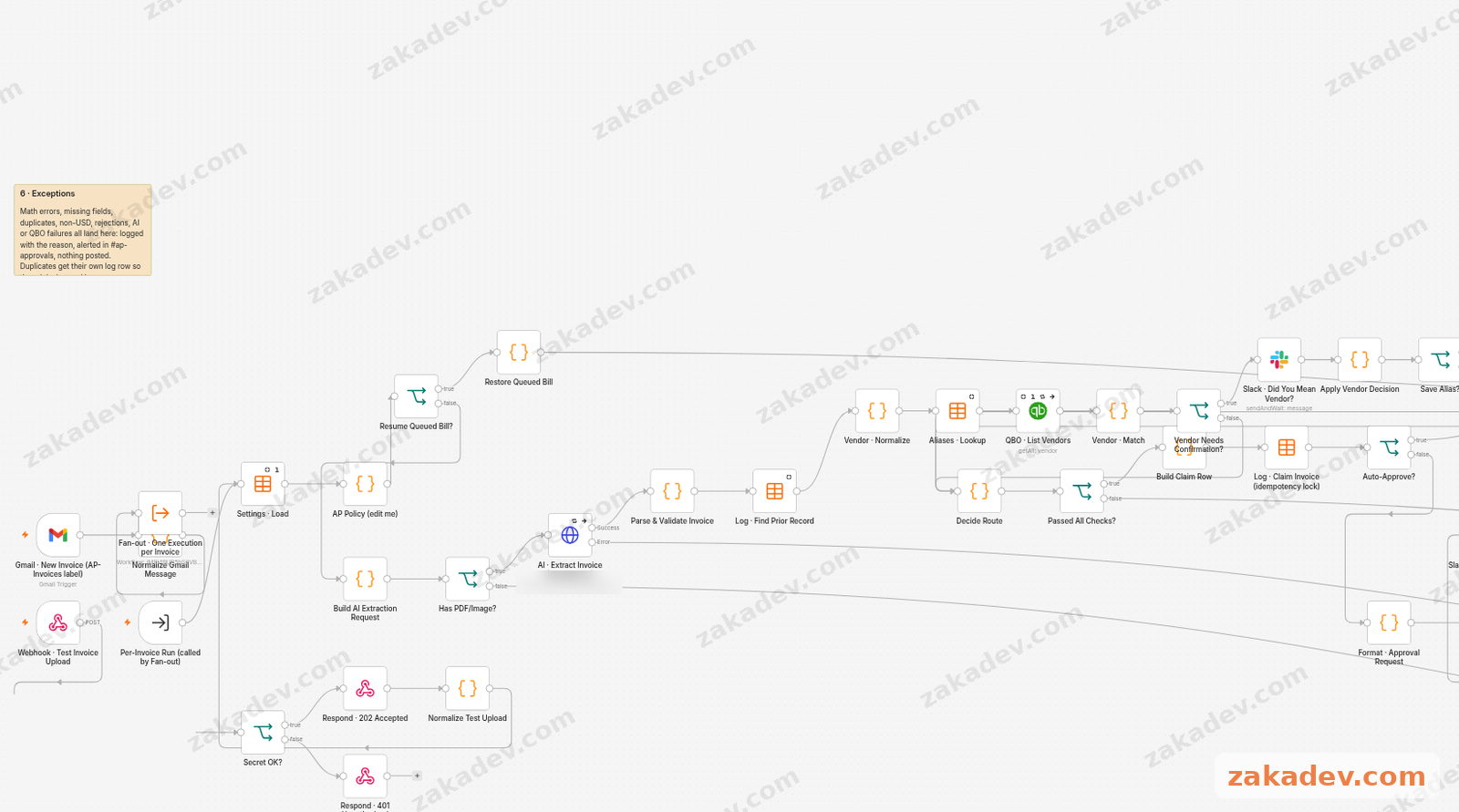
Invoices come in two ways. Either someone puts a label on the email, or something sends it to a webhook. That’s it. Nobody has to forward anything to a special system or learn a new tool.
The agent grabs the file and sends it to an AI model through OpenRouter. The AI’s job is simple: read the invoice and pull out the vendor, invoice number, dates, line items and totals. It also gives a confidence score, basically “how sure am I about what I just read.”
Step two: I don’t trust the AI’s math
This is the part I care about most.
AI is great at reading a messy PDF. It’s not great at being your accountant. So once the AI hands over the data, plain code takes over and checks everything:
- Does the math add up, line by line and in total?
- Are the required fields there?
- Is this a vendor we know?
- Is the AI confident enough?
- Is this invoice already in QuickBooks?
The AI reads. The code decides. If anything looks off, the invoice doesn’t go anywhere on its own.
Step three: pick a path
After the checks, every invoice goes one of two ways.
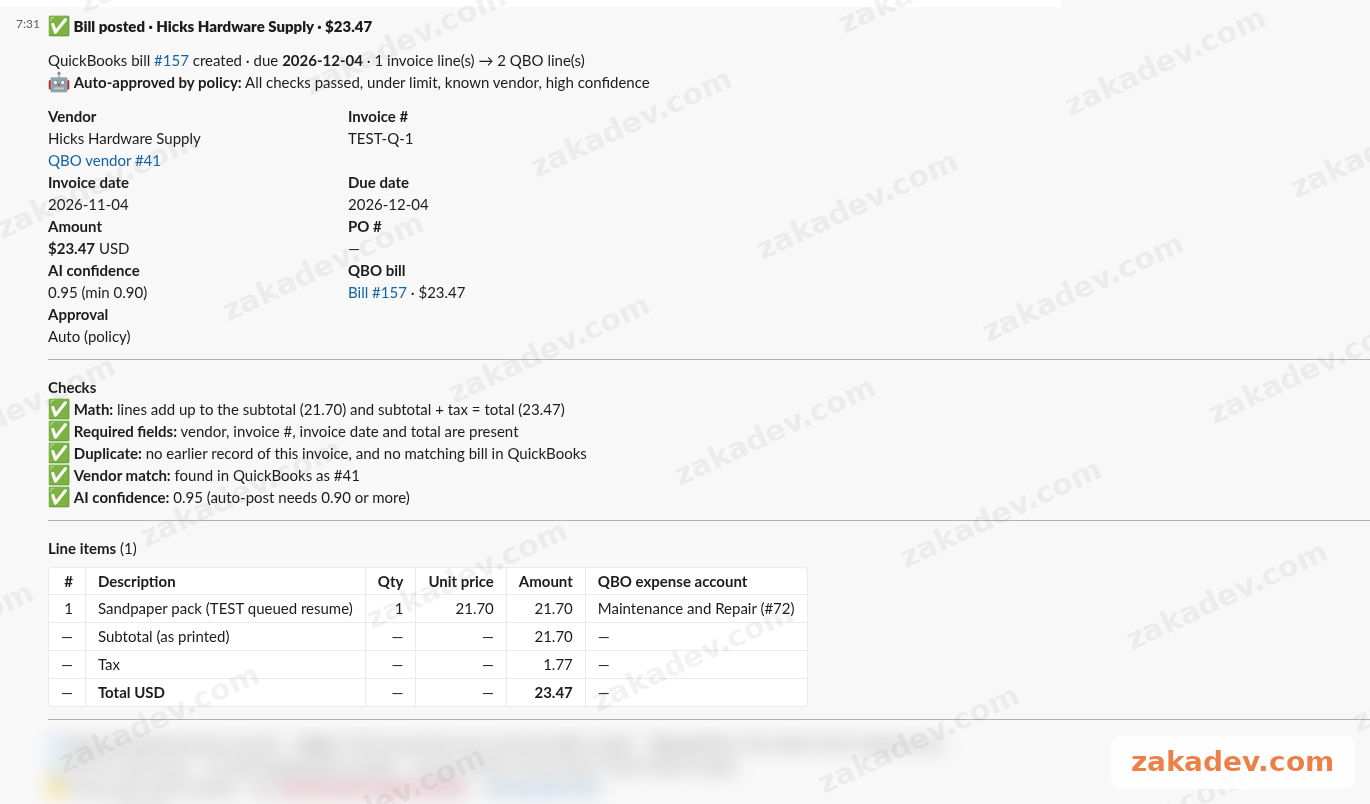
Path one: post it. Small bill, known vendor, high confidence, no duplicate. The agent creates the bill in QuickBooks by itself and attaches the original PDF, so whoever looks at it later can see the source. In the version shown here, “small” means under $500, and “high confidence” means the AI scores itself 0.9 or higher.
Here’s one from my test runs. A $23.47 invoice from Hicks Hardware Supply came in, passed every check, and got posted as bill #157, approved by policy. Nobody touched it. Slack just got a note saying it was done.
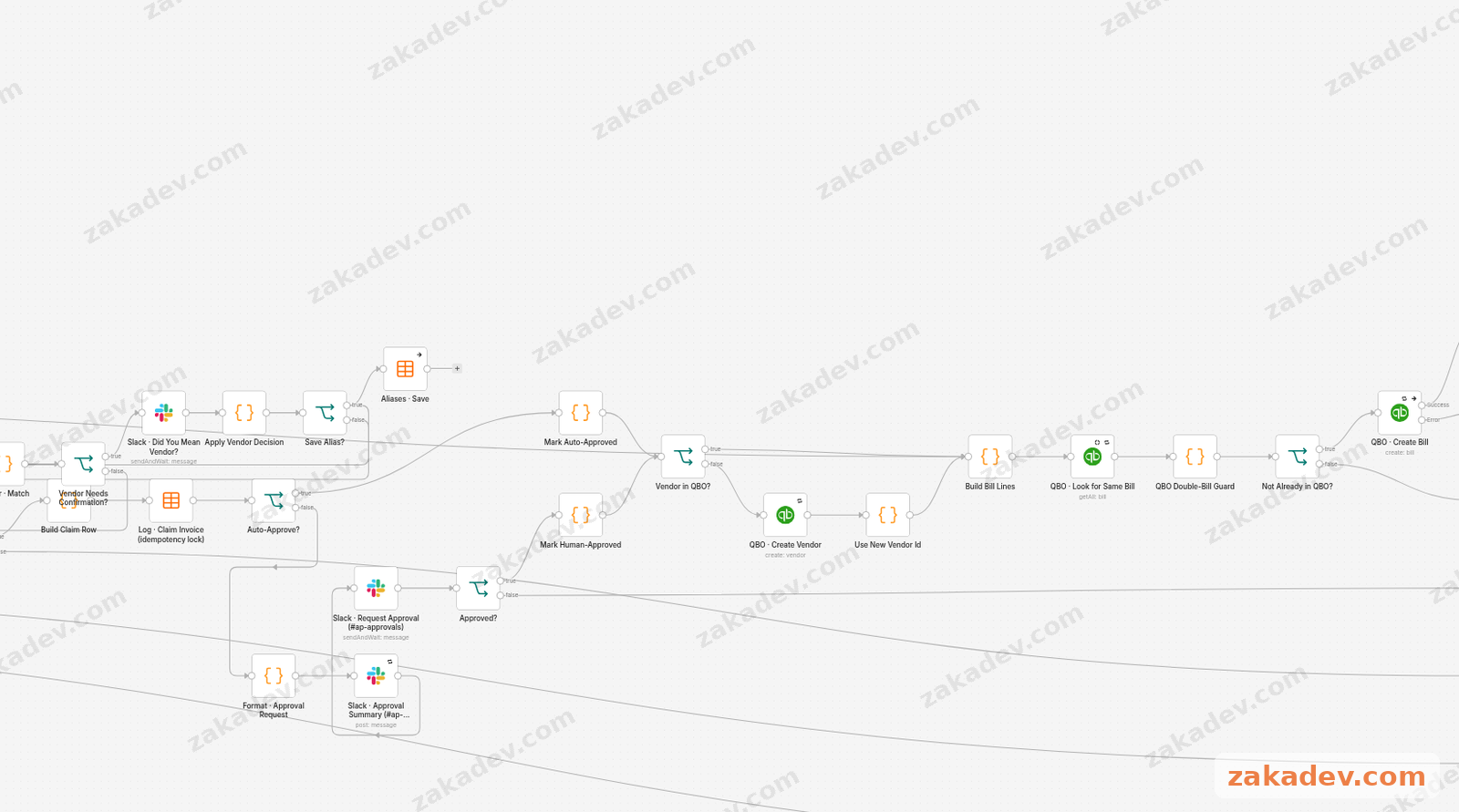
Path two: ask a human. Anything bigger, newer or weirder goes to a Slack channel called #ap-approvals. The message says what the invoice is and why it needs a look. Someone approves it right in the thread, and the agent carries on.
In testing, an invoice from Northgate Office Supply Co. came in for $2,850.57 with 36 line items. Over the auto-post limit, and a vendor the system hadn’t seen before. Two good reasons to stop. So it went to Slack and waited for a yes.
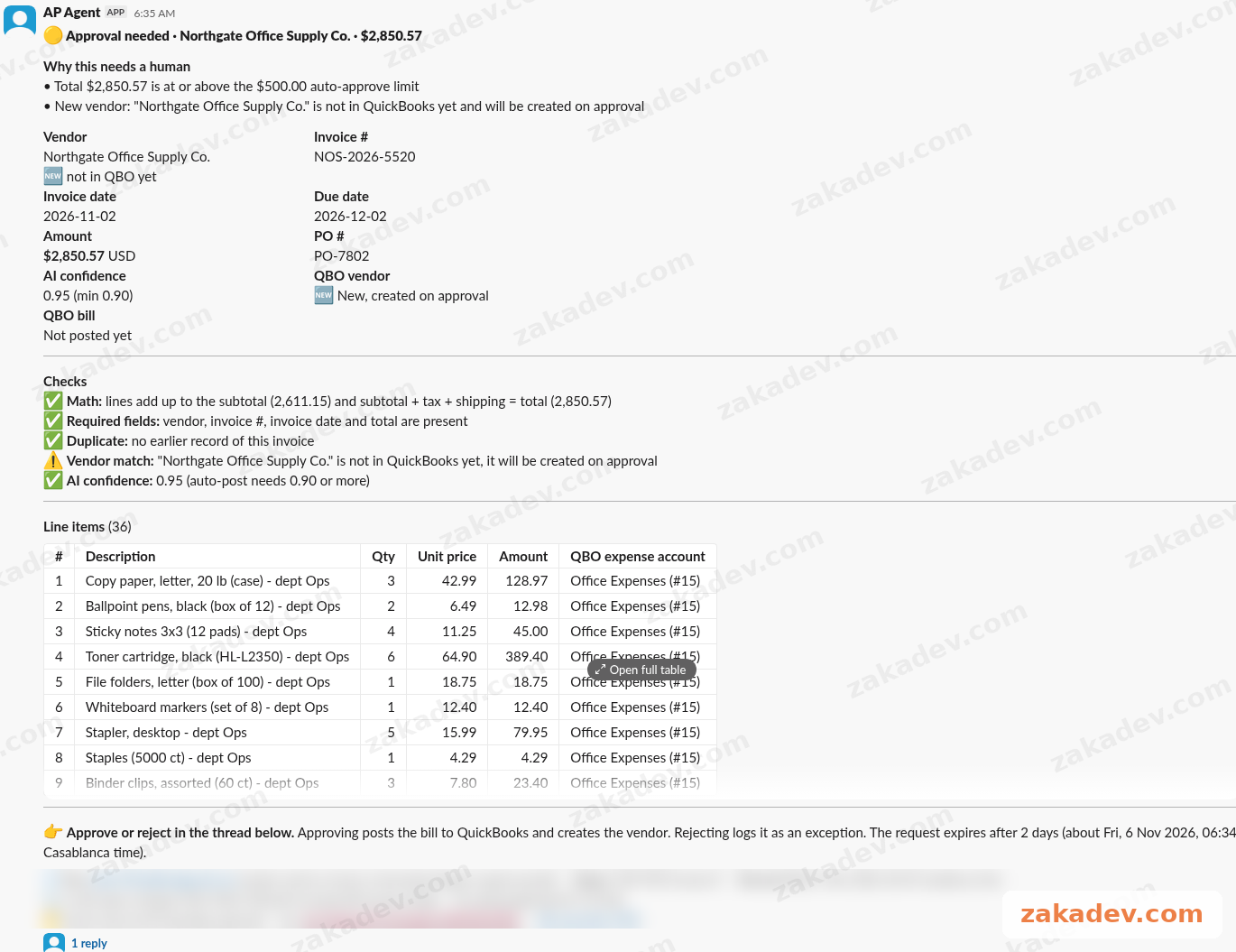
Thirty-six line items is exactly the kind of invoice that ruins someone’s afternoon. Here the human just reads a summary and clicks.
The moment I liked most: Hicks Hardwre
Before handing it over, I wanted to see if I could trick it.
So I sent a test invoice from “Hicks Hardwre Supply”. Yes, Hardwre. The typo was in the test invoice itself. $10.81.
QuickBooks already had that bill, as bill #156.
A human skimming fast might think “new vendor, small amount, sure” and enter it again. The agent didn’t. It matched it to the existing bill, flagged it as a duplicate, and posted nothing.
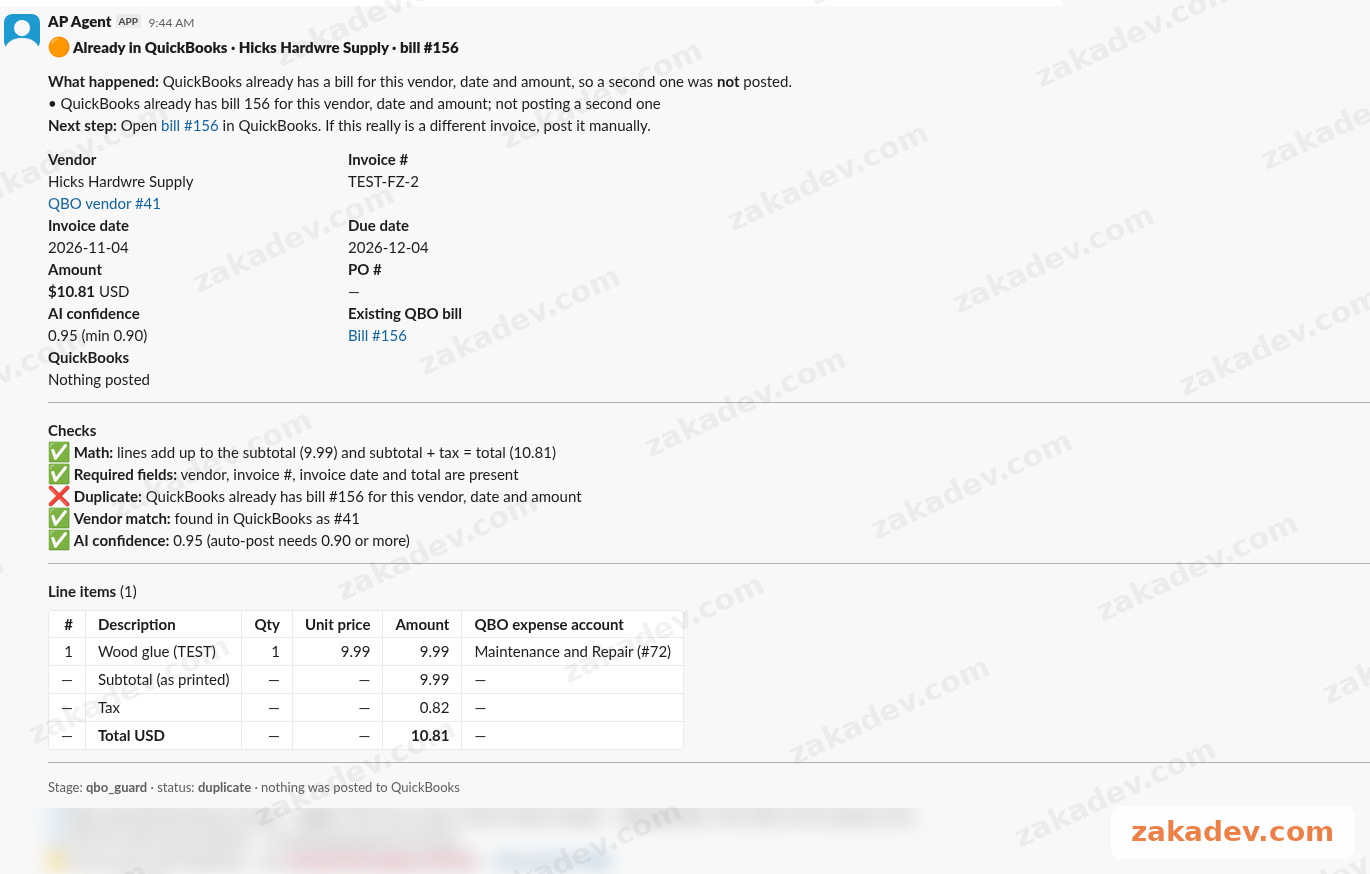
Paying the same bill twice is one of those boring mistakes that costs real money. Catching it even with a misspelled name made me pretty happy.
The boring stuff that makes it real
A workflow that works once is easy. A thing a business can trust every day needs the boring parts too.
An audit log. Every invoice and every decision gets written down. Posted, sent for approval, flagged as a duplicate. If someone asks “why did this bill get posted?”, there’s an answer.
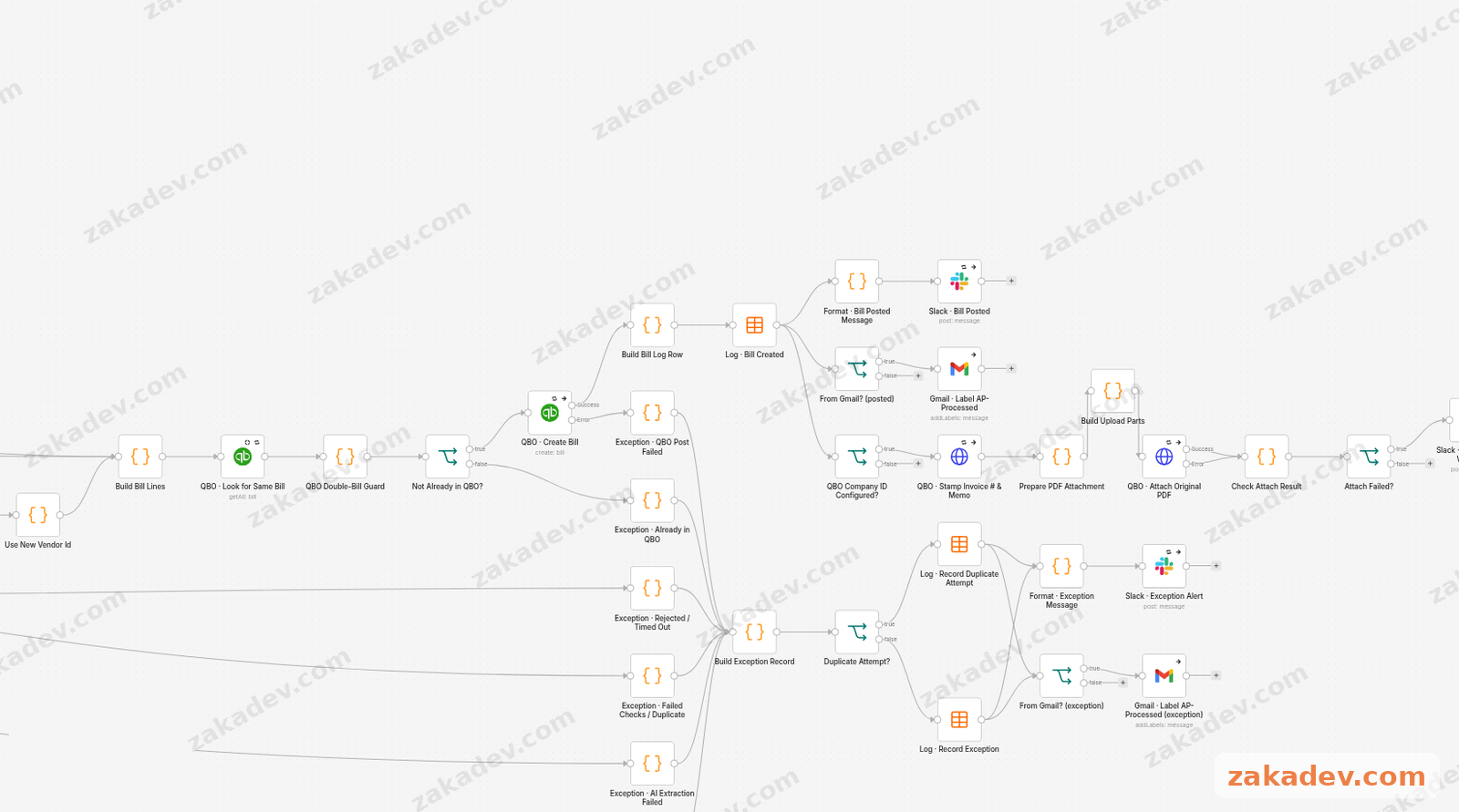
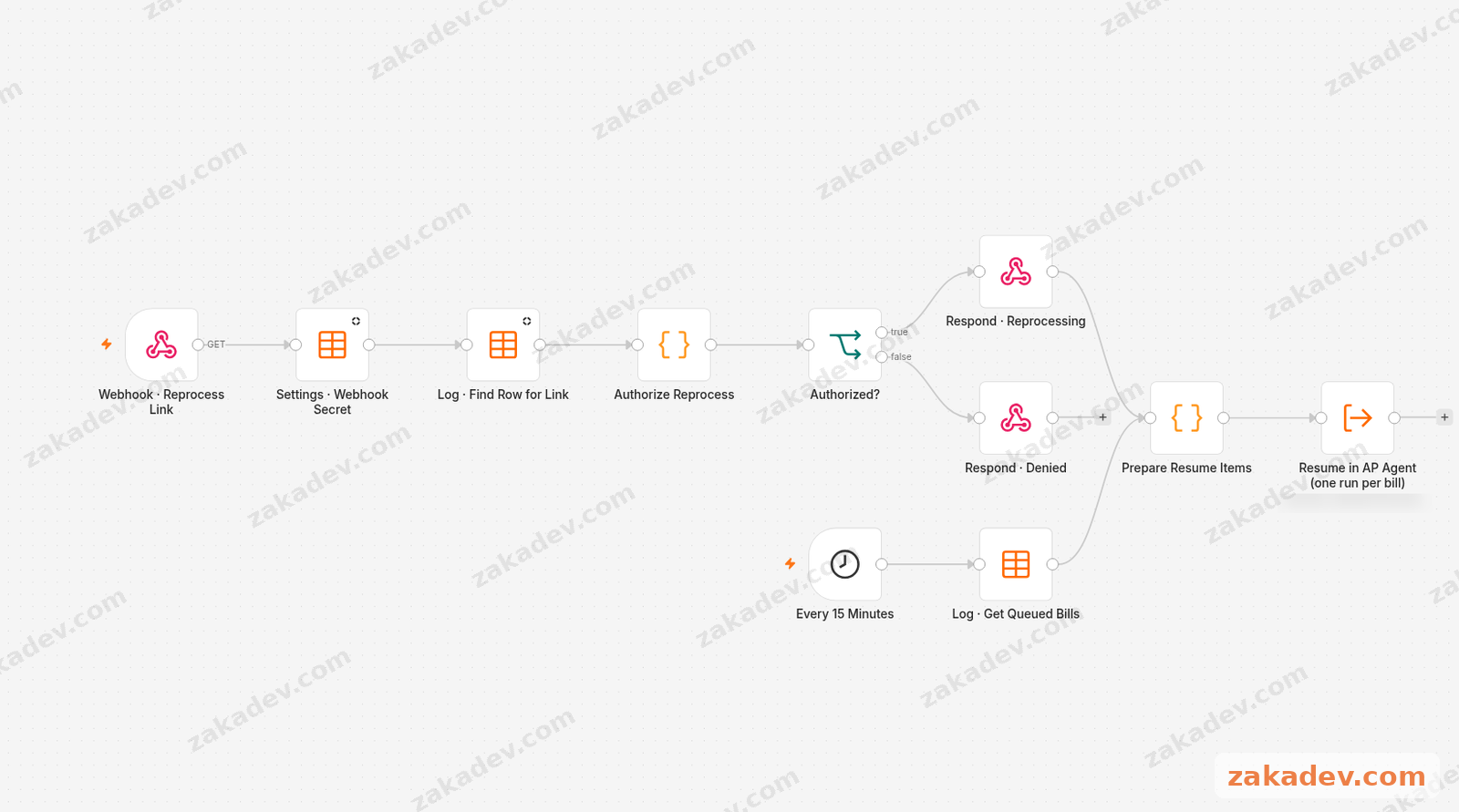
A retry queue. QuickBooks sometimes says no for reasons that have nothing to do with the invoice. Instead of losing the bill, the agent puts it in a queue, and a worker tries again later. It tries every 15 minutes, up to 3 times.
A due date default. When an invoice doesn’t print a due date, the agent fills in a default instead of leaving it blank. I went with Net 30.
An error handler. If something crashes, it tells someone. No silent failures.
The morning digest
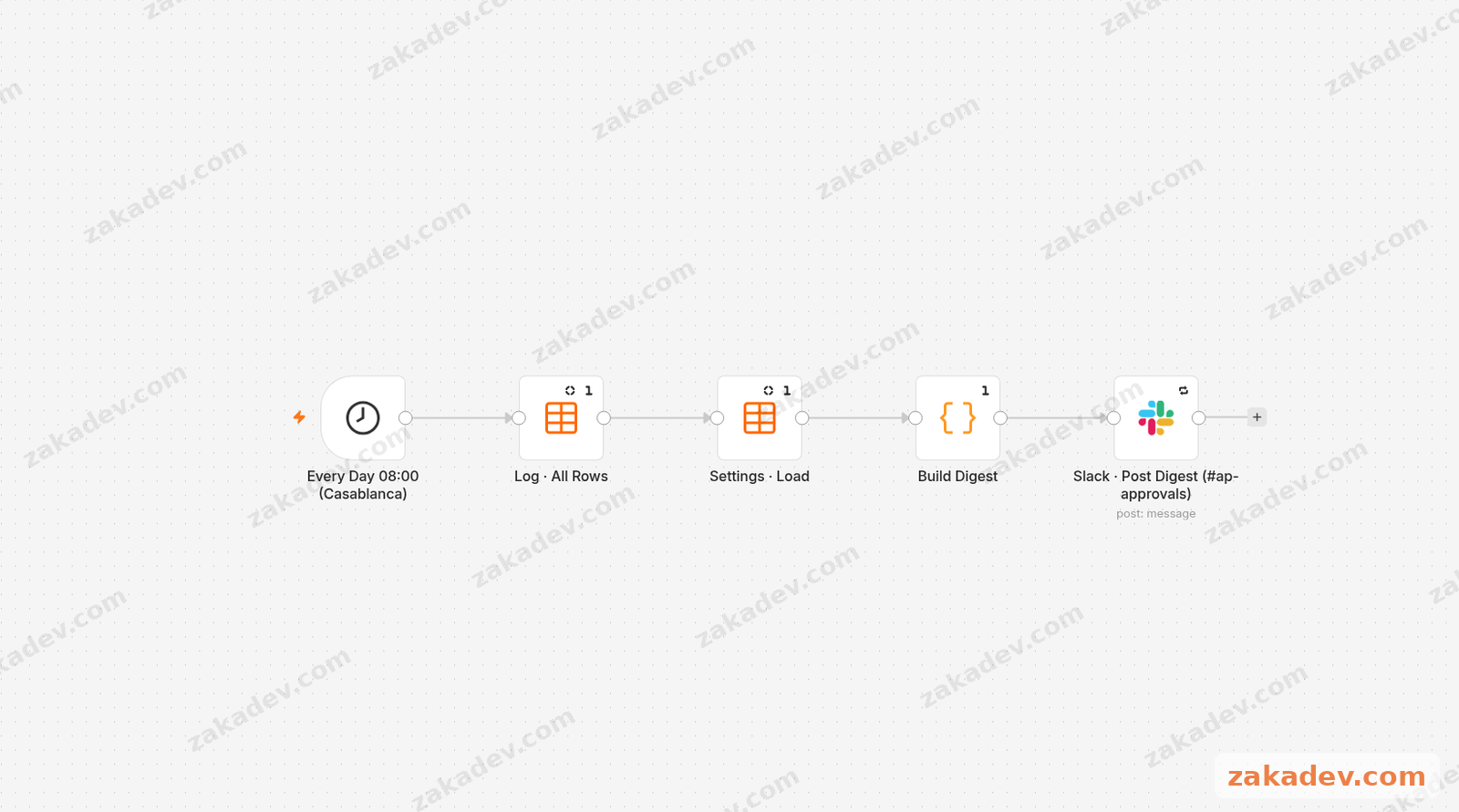
Every morning, the agent posts a short summary in Slack. 08:00 sharp, before the coffee’s even done.
On Wednesday 4 November, the digest from my test setup said: 12 bills posted in the last 24 hours, $15,044.84 in total, 9 exceptions, and 1 bill queued for retry.
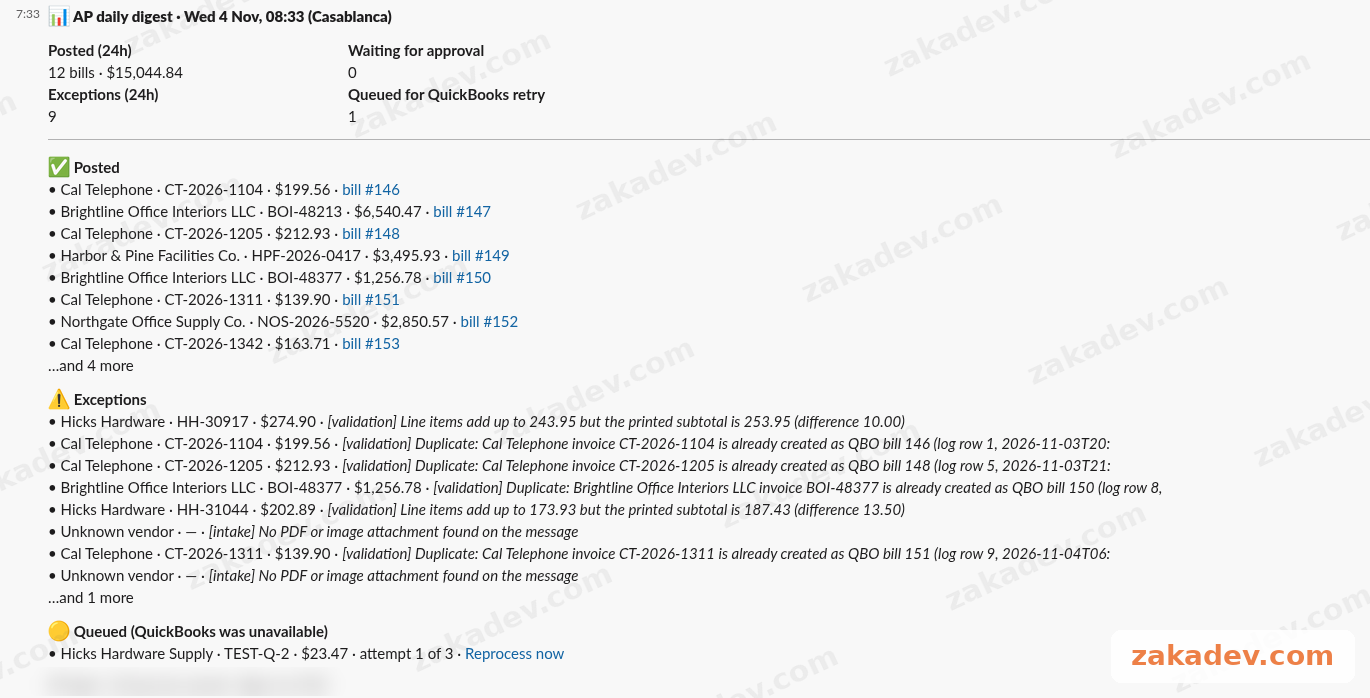
Again, these are my test runs, not the client’s numbers. But that’s the idea: the owner opens Slack, reads four lines, and knows where accounts payable stands. No report to build, no spreadsheet to open.
What this means if you run a business
The point isn’t to get rid of your accountant. The point is to stop using them as a very expensive typing machine.
With something like this:
- The easy, small bills just get done.
- The big or new ones still get a human look, but with a summary instead of a raw PDF.
- Duplicates get caught before they get paid.
- Nothing fails quietly.
- You get a short daily picture without asking for it.
Your accountant gets to spend their Monday on the stuff that actually needs a brain.
From one client to a package
Here’s the thing I learned building it: the idea is the same everywhere, but the details never are.
One company uses QuickBooks, another uses something else. One wants a human to look at anything over $500, another has a different limit. Different people sign off. And every company has vendors saved under three slightly different names.
That’s why I don’t sell this as a template you download and hope for the best. It’s a package. I take the same core (AI reads, code checks, humans approve what matters, nothing fails quietly) and fit it to how your team already works: your accounting tool, your approval limits, your approvers, your vendor list.
Want one?
If your team still types invoices in by hand, this is what my fixed-price n8n + Make AI automation package is for. We start by looking at how bills come in and who should approve what, and I build the agent around that.
You can see the package and book a call on zakadev.com.